Expenses and payments in a few taps
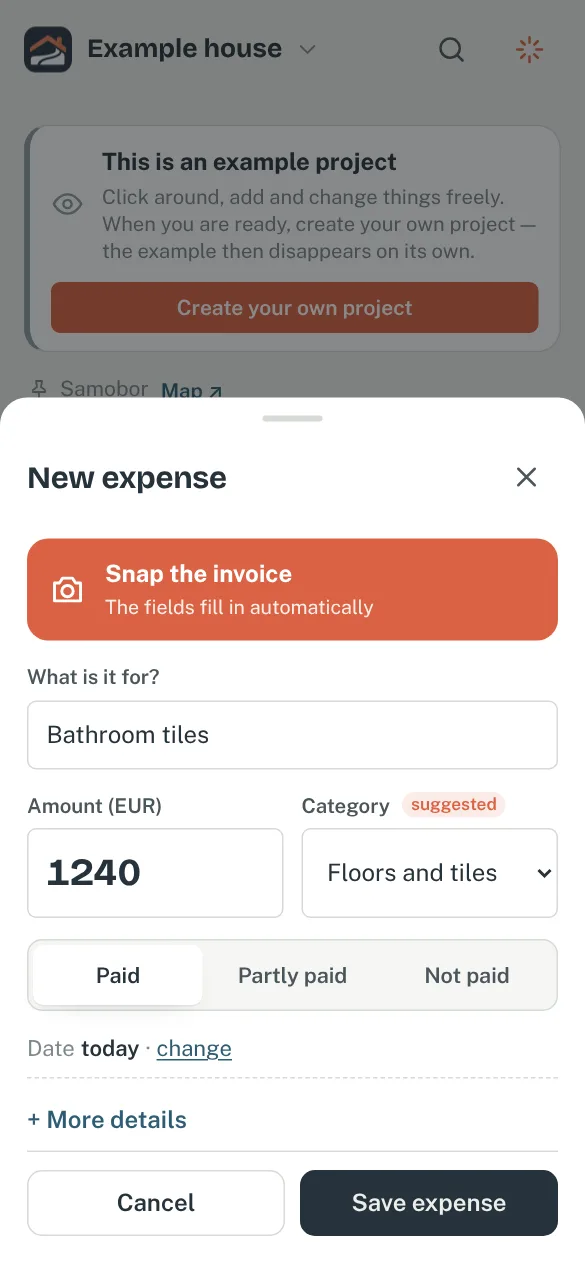
A name and an amount are enough. Payments, instalments and due dates sort themselves out.
You add a new expense in seconds: a name and an amount are required, everything else is optional — category (foundations, roof, electrics…), contractor or shop, part of the house, invoice number and tags.
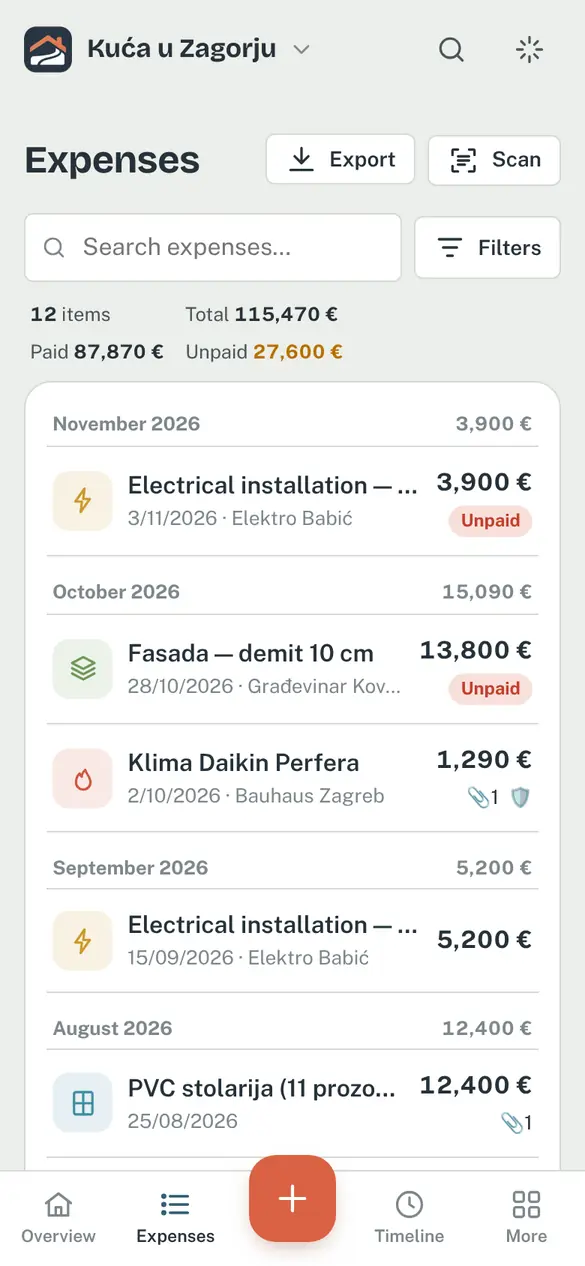
- Paid, unpaid or partly paid — for deposits and instalments you add payments as you go, and Temelino knows what is still outstanding.
- Due dates — unpaid expenses with a due date show up in reminders and notifications, so no instalment slips through.
- Duplicate protection — enter the same amount at the same supplier twice and the app warns you.
- Hide amounts — tap the eye icon on the overview or the expense list and every amount turns into dots (•••• €), so you can open the app even when someone is looking.
- Icons in the list — you can see at a glance which expense has a receipt 📎, a warranty 🛡️ or a document 📄.
How it helps: instead of adding things up at the end of the month, you have the exact picture right away — and for every cost you know who paid it and when.