
About the app · about 8 minutes to read
Temelino: from the first receipt to moving in
Building or renovating a house takes months, and the costs pile up in dozens of places: receipts in the car, quotes in your inbox, agreements in chat messages, warranties in a drawer. Temelino puts all of it in one place, so at any moment you know how much you have spent, what is still to come and where each document is. In this article we describe how Temelino works, who it is for and how each of its features makes building or renovating easier.
01Why track your costs at all
Most people track building costs in a notebook, a spreadsheet or not at all. The trouble starts when you need to answer simple questions: How much have we paid for the roof so far? Has the electrician been paid in full? How much more do we need before we can move in? That is when the search through messages and bank statements begins.
Temelino is built for exactly this. You don't need to be a bookkeeper — a name and an amount are enough, and the app adds everything up by phase, month and contractor. It works on your phone and computer, and several people can keep the same project at once.
02Who Temelino is for
Temelino is used by families building a new house, people buying and renovating an older house or flat, and anyone doing a bigger renovation — a bathroom, roof, façade or the whole house. It is just as useful after moving in, as an archive of everything built into and bought for the house.
You need no prior knowledge and no love of spreadsheets: the app is made for people who build alongside a job and a family, so everything takes a few taps — even on site, phone in hand.
03Expenses and payments in a few taps
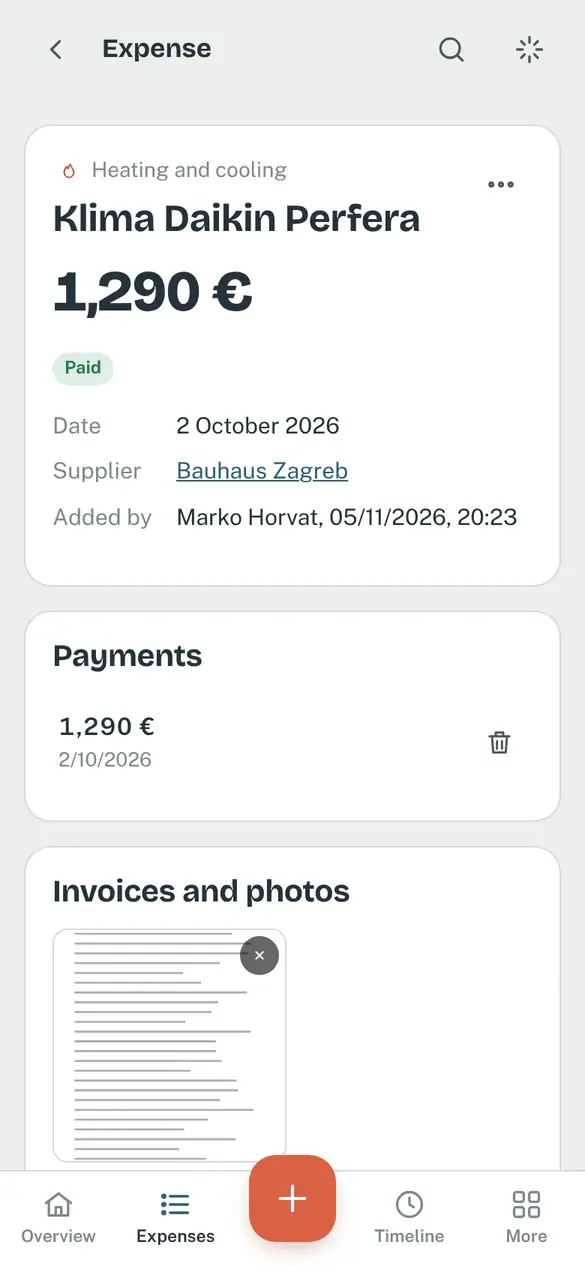
You add a new expense in seconds: a name and an amount are required, everything else is optional — category (foundations, roof, electrics…), contractor or shop, part of the house, invoice number and tags.
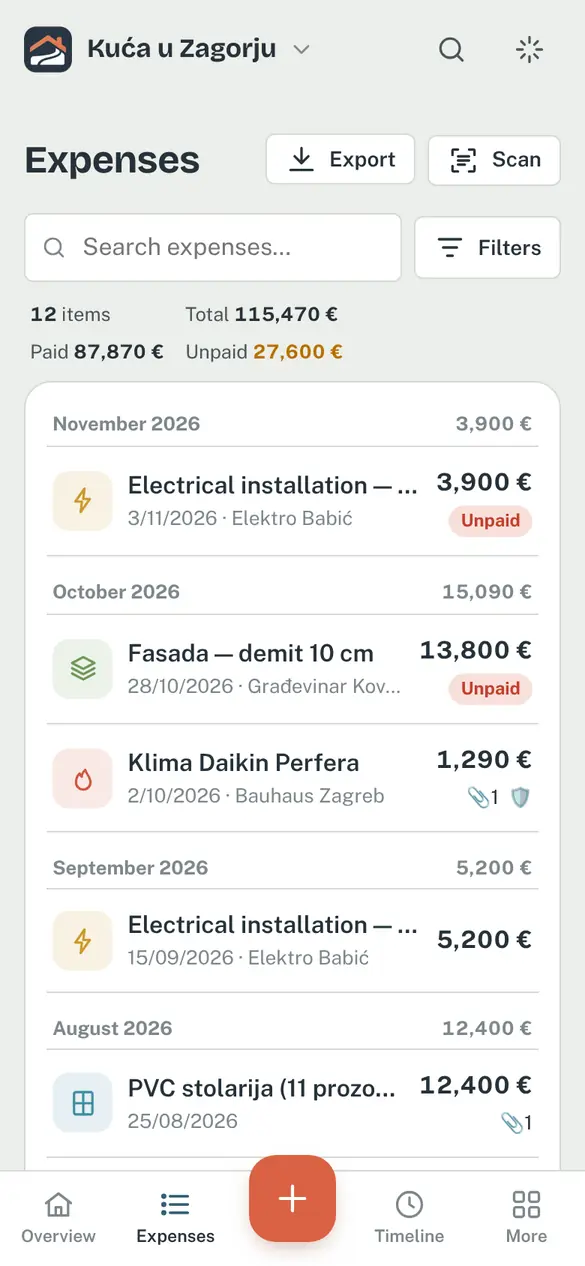
- Paid, unpaid or partly paid — for deposits and instalments you add payments as you go, and Temelino knows what is still outstanding.
- Due dates — unpaid expenses with a due date show up in reminders and notifications, so no instalment slips through.
- Duplicate protection — enter the same amount at the same supplier twice and the app warns you.
- Hide amounts — tap the eye icon on the overview or the expense list and every amount turns into dots (•••• €), so you can open the app even when someone is looking.
- Icons in the list — you can see at a glance which expense has a receipt 📎, a warranty 🛡️ or a document 📄.
How it helps: instead of adding things up at the end of the month, you have the exact picture right away — and for every cost you know who paid it and when.
Share this feature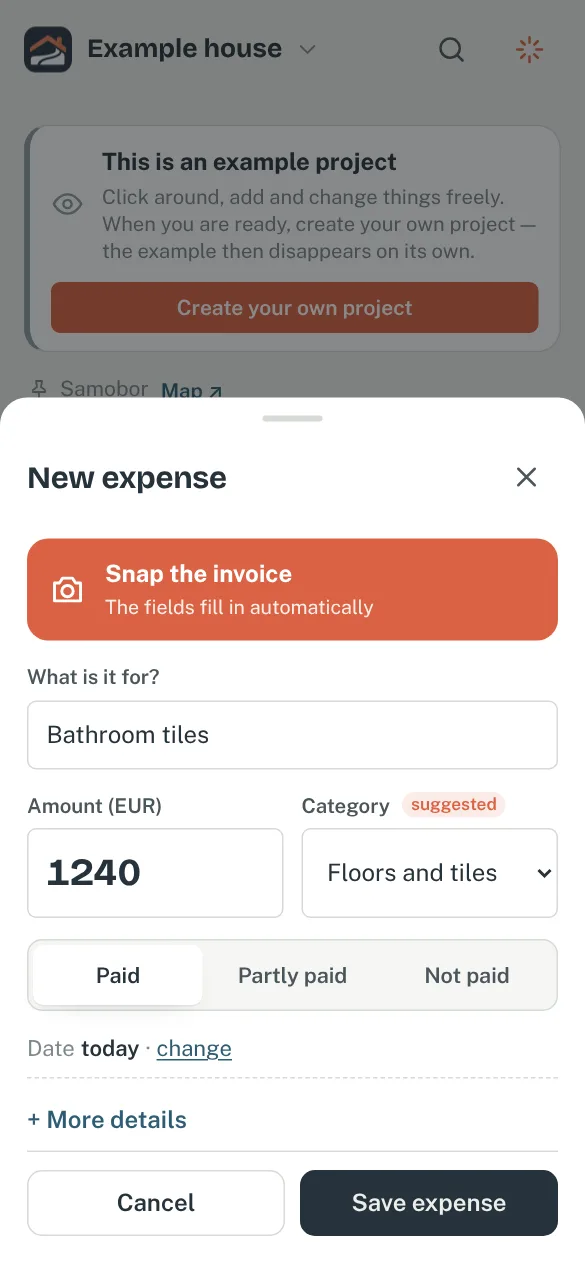
04Scan receipts instead of typing them
Take a photo of a receipt or upload a PDF — AI reads the shop, date, amount and line items and suggests a filled-in expense. You just check it and save. Nothing is saved without your confirmation.
The receipt text stays searchable, so later you can find an expense by a single item (“tile adhesive”). Tax numbers and bank account numbers (IBAN) in that text are masked automatically.
How it helps: a twenty-line receipt from the builders' merchant is entered in half a minute, and the original stays attached — for the warranty, a complaint or the bank.
Share this feature05Budget, cost per m² and what's still to come
You can build your budget from items — for example a mortgage, savings and help from family — and Temelino adds them up and tracks how much has been spent, how much is paid and how much is estimated to be left once planned costs are included.
- Cost per m² — enter the floor area and you see what each square metre costs, in total and by phase.
- Monthly average — how much you spend each month and how that changes over time.
- Purchase kept separate — the house or land price is tracked separately, and the budget is for works and materials. One switch shows or hides the purchase on the overview — how much is left for the works stays the same.
How it helps: you see early when the budget is slipping and can decide where to save — before the money is gone.
Share this feature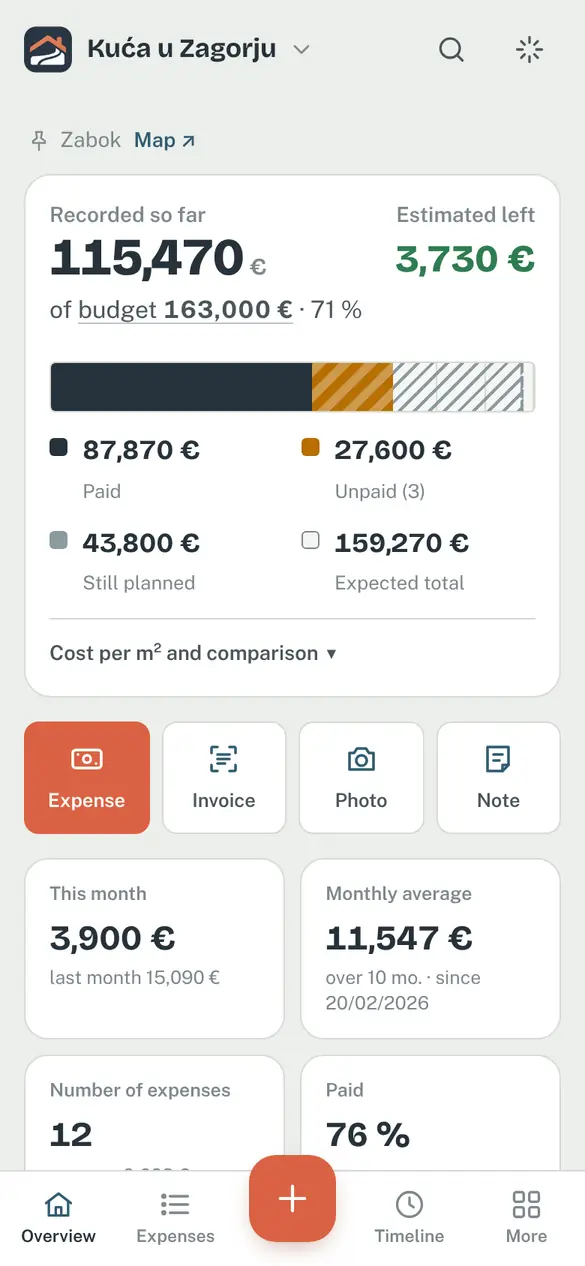
06Planned costs
In Planned you list what is still ahead: underfloor heating, tiles, the kitchen, landscaping — with a rough amount and a month. Those amounts feed into “estimated left”, so you know whether the money will last to the end.
When the invoice arrives, one tap turns the planned item into a real expense — nothing is counted twice, and you see the difference between plan and reality.
Share this feature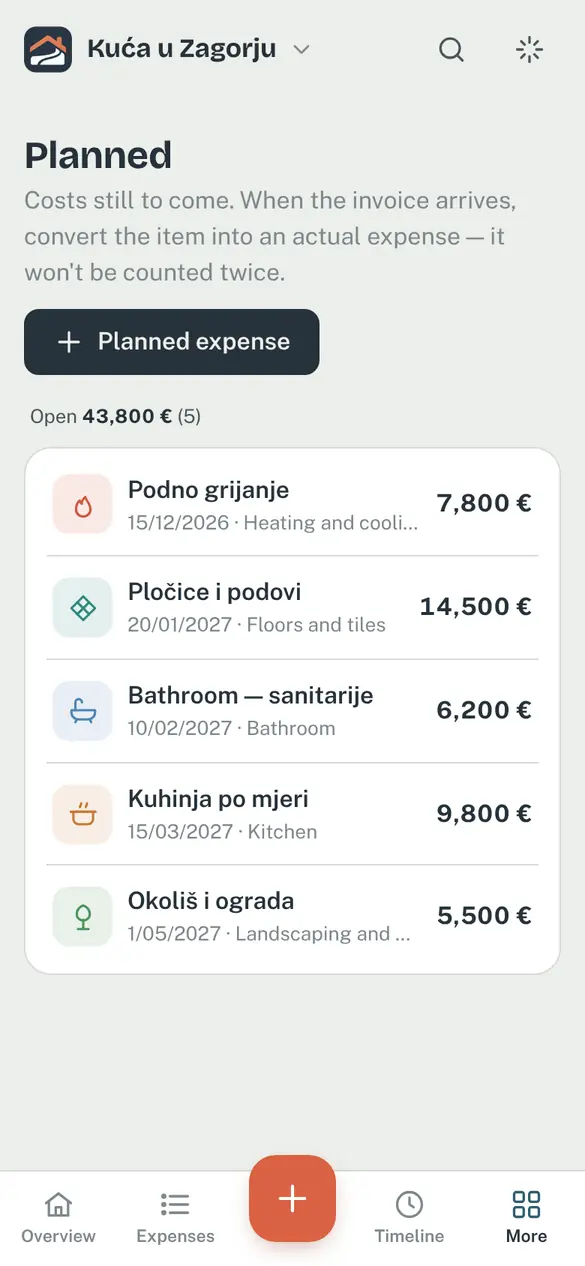
07Bank report
With a mortgage, the bank usually releases the next tranche only once you show what the previous one was spent on. For the period you choose, Temelino builds a PDF report listing expenses by phase plus a ZIP with all the receipts, ready to hand in. You choose what goes into the report — paid invoices, pro forma invoices paid directly to suppliers, progress photos, a statement to sign and copies of the receipts — and the loan details are remembered for the next tranche.
How it helps: instead of an evening spent scanning and sorting paper, the report takes a minute.
Share this feature08Documents, warranties and notes
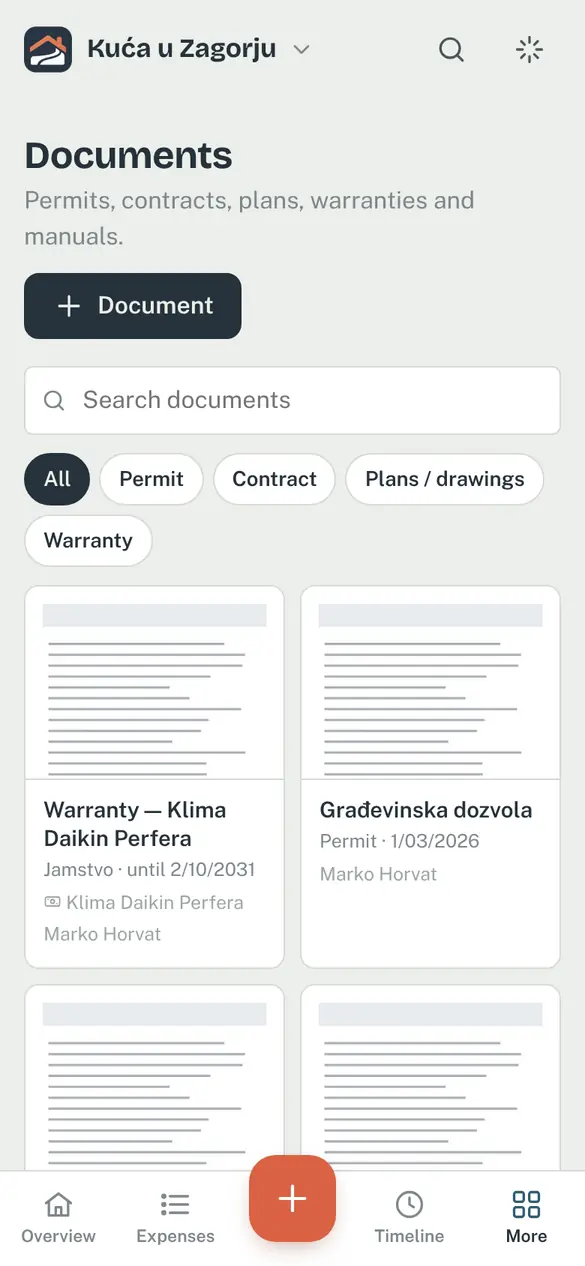
Building permit, contractor agreements, design plans, certificates and manuals — all in one place, with filters by type and search.
- Warranties — add a warranty with its expiry date (or “no expiry”) straight on the expense, e.g. a washing machine, air conditioner or windows. You get a reminder a month before it runs out.
- Document on an expense — link a contract or quote to an expense; it also appears under Documents.
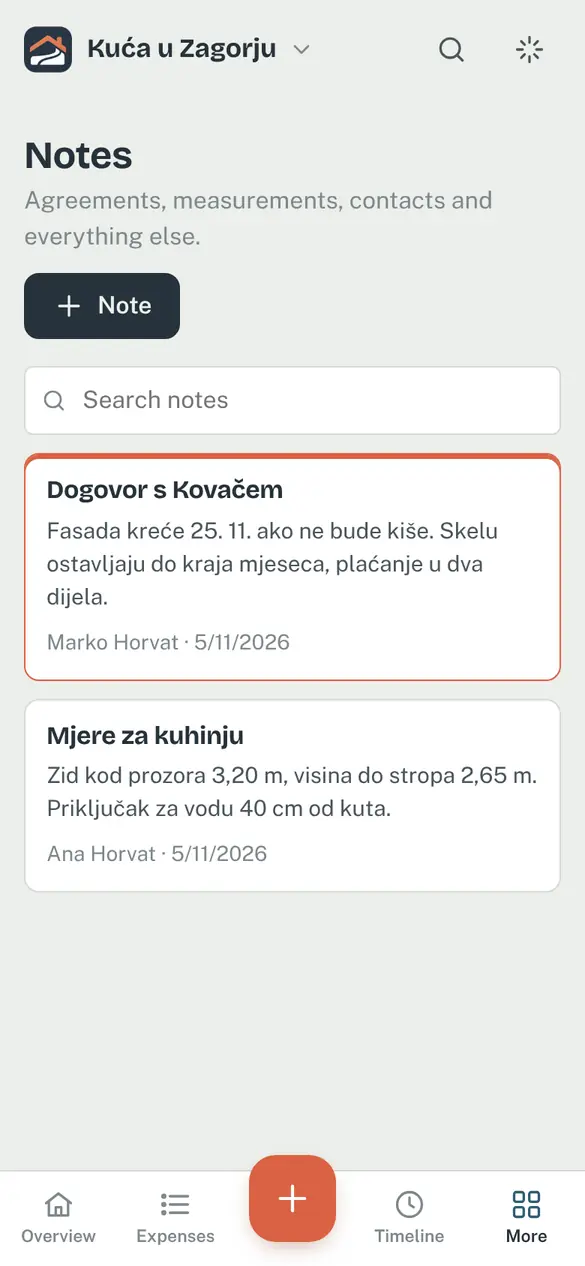
- Notes — agreements with tradespeople, measurements, phone numbers; each note shows who wrote it.
09Timeline — how the house grew
Progress photos are arranged by month, so a year later you can see the whole journey from excavation to façade. The date is read from the photo itself.
In the background Temelino writes a short description of each photo, so you can find them later by searching or asking — “rebar”, “roof”, “bathroom wiring”. That is priceless when, five years on, you need to know exactly where a pipe runs inside a wall.
You can't accidentally add the same photo twice, and a long press selects several at once so you can tag them, link them to an expense or change their date together.
Share this feature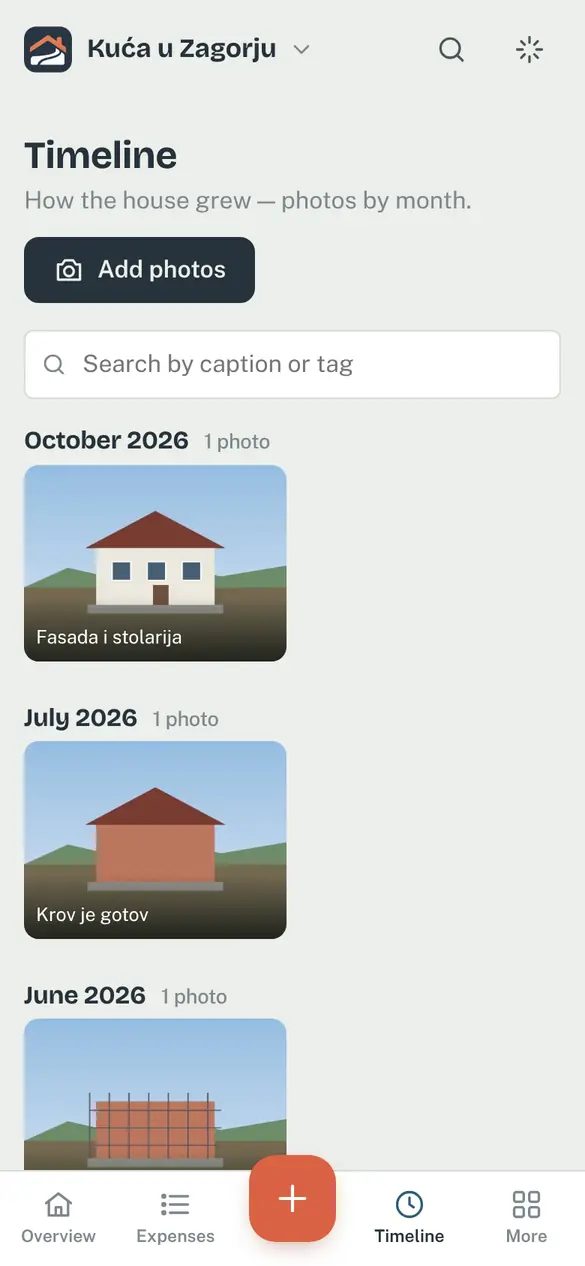
10Floor plans — what's behind the plaster
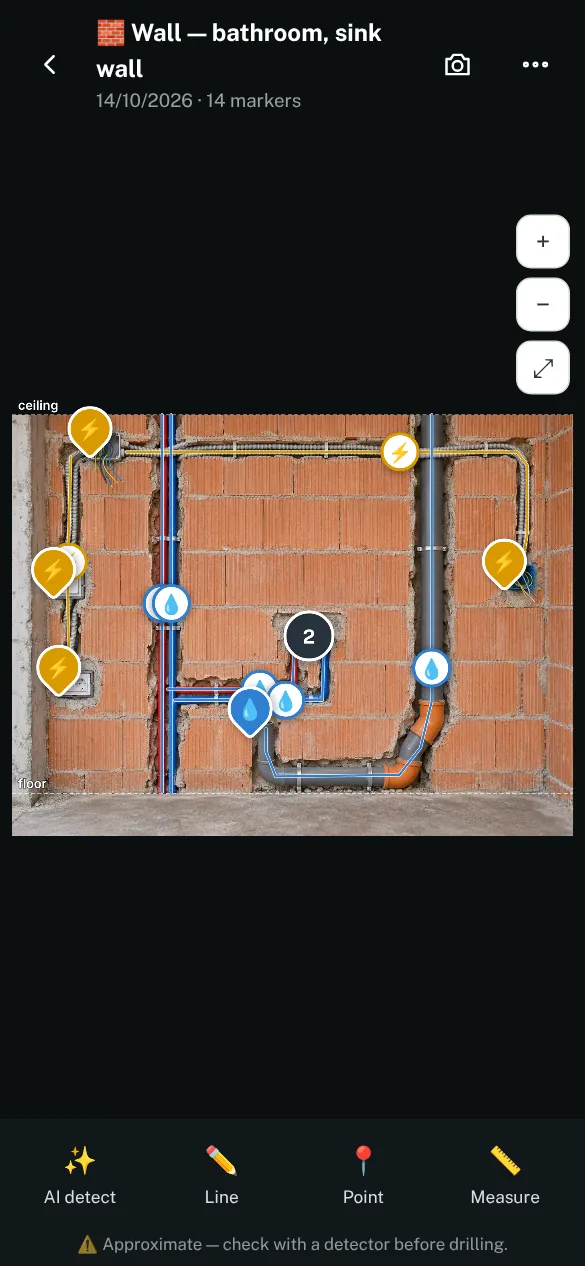
The most expensive question after moving in is can I drill here? While the walls are bare, the answer is right in front of you — a few weeks later plaster and screed cover everything. In Floor plans you place photos of walls, floors and ceilings on your floor plan, right in the room where they were taken.
Temelino recognises and traces the conduits, cables and pipes, boxes and outlets in those photos. Electricity, water and heating are kept in separate layers, and with the wall height every marker shows how high it is above the floor. You review everything that was detected and correct it if needed, and the app offers Timeline photos showing installations for the plan by itself.
How it helps: in five or ten years, when you hang kitchen cabinets or replace tiles, you open the plan, tap the room and see what's behind the plaster — instead of guessing or calling a tradesperson. Positions are approximate, so still check with a detector before drilling.
Share this feature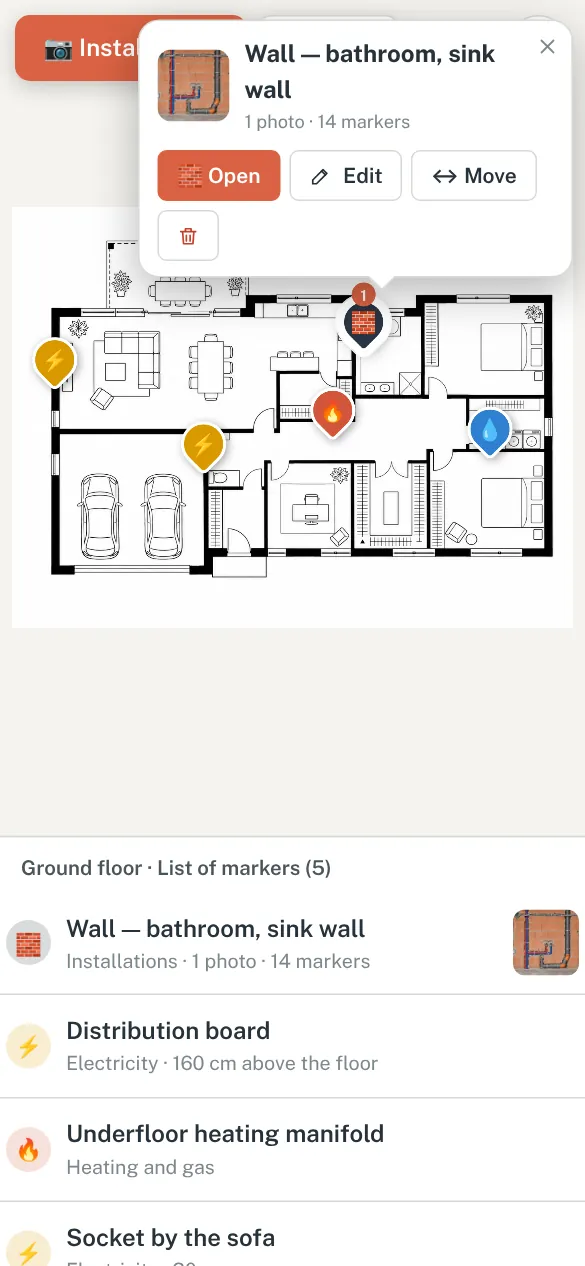
11Ask Temelino
Ask a question in plain language and get the answer from your own project data — with links to the source:
- “Which items are still unpaid?”
- “How much did the roof cost and who did it?”
- “When does the air-conditioner warranty expire?”
- “Show me a photo of the roof.”
How it helps: you don't have to remember where you entered something — just ask.
Share this feature12AI room design
Photograph a room, bathroom or terrace — even while it is still a building site — and choose a style. You get a design proposal, a colour palette and a list of works that you can add to planned costs with one tap.
Proposals are illustrations for ideas and for talking to your contractor, not design documentation.
Share this feature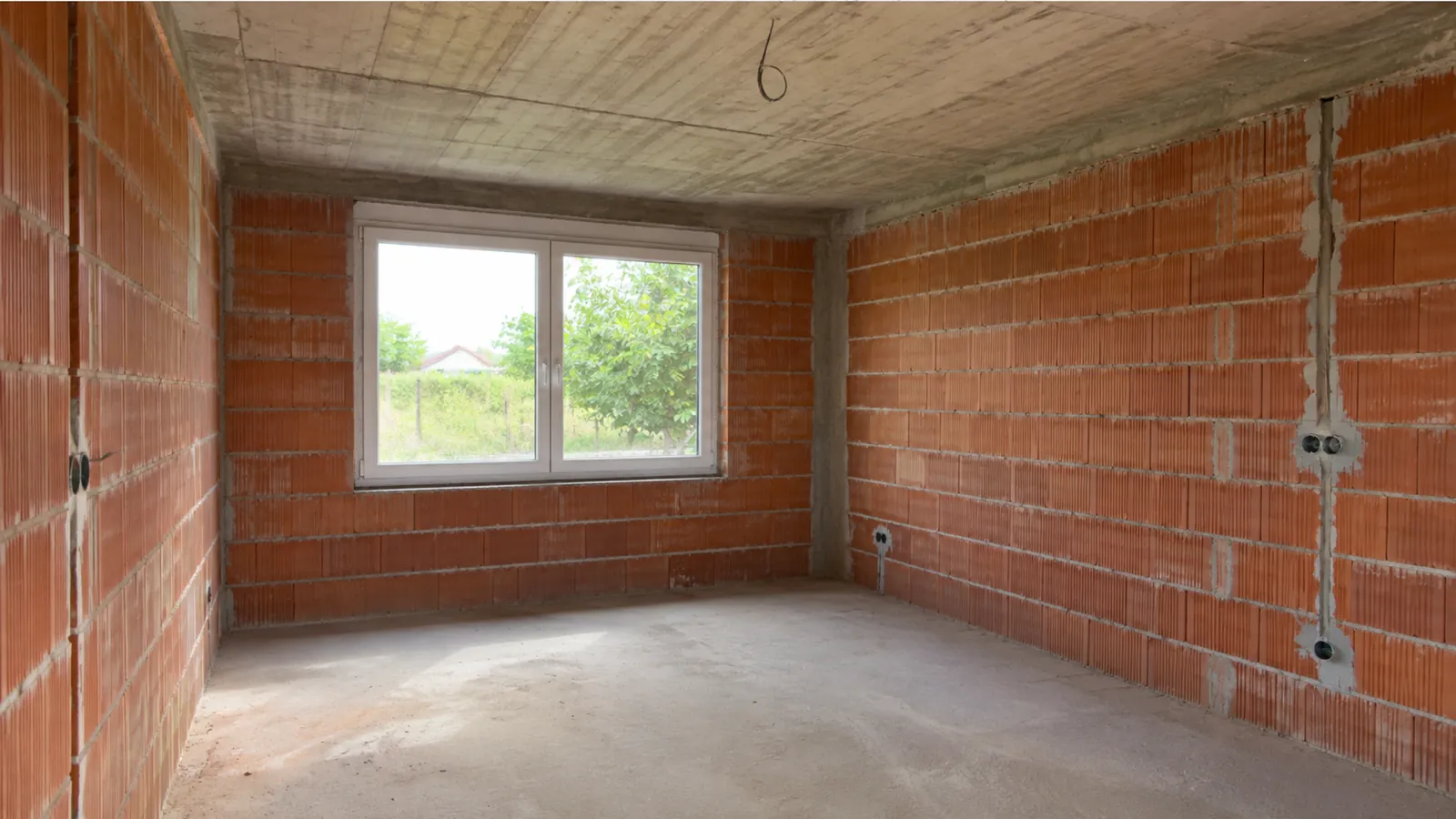

13Shared projects
Invite your partner, family or contractor. Everyone adds expenses from their own phone to the same project, and you choose the role: an editor can add and change things, a viewer can only look.
When someone adds an expense, payment, document or photo, the others get a notification — with a new photo, they see the picture itself. Every change is recorded in the project activity.
Share this feature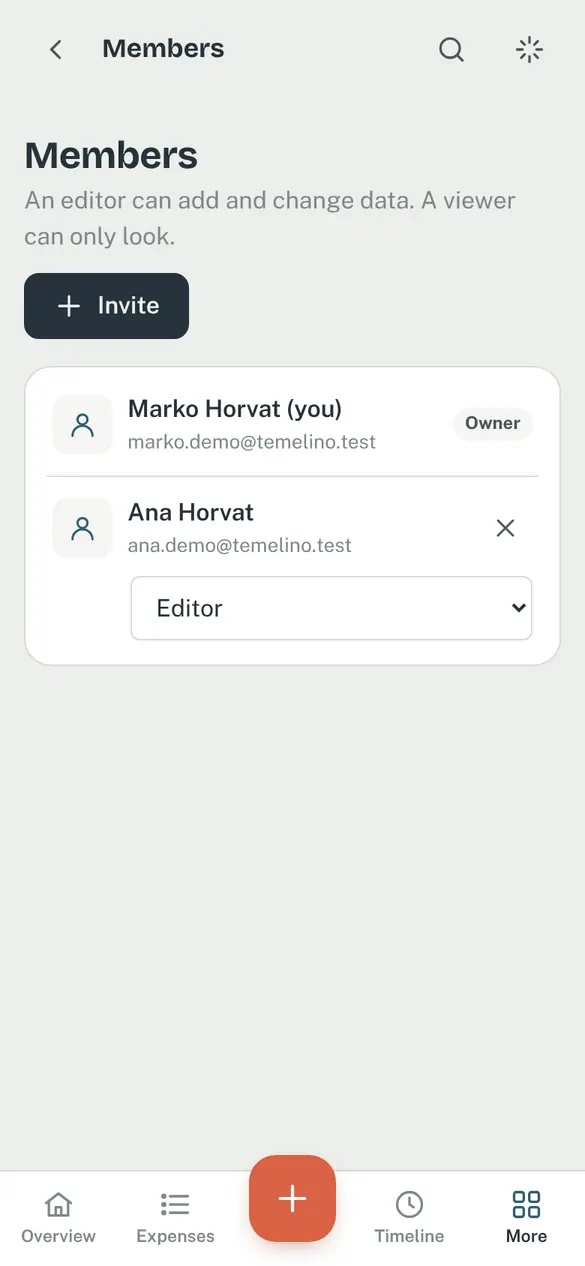
14Notifications you actually need
Temelino only sends what matters, at most once a day: payment due dates, your reminders, warranties about to expire and work coming up. Optionally, a weekly summary of costs.
Notifications arrive by e-mail or as push on your phone, and tapping one opens exactly what it is about.
Share this feature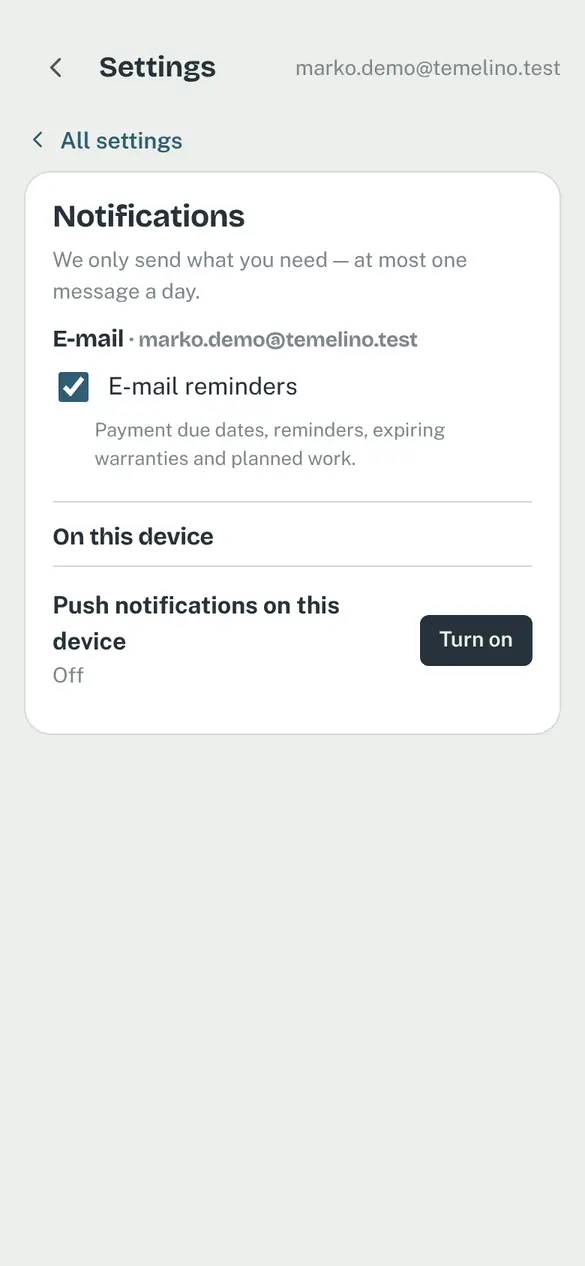
15My home — after moving in
Once you move in, the project becomes My home. All the data stays, and the things you need for upkeep move to the front: warranties for every appliance, recurring service reminders (boiler, air conditioning, chimney) and an archive of receipts.
How it helps: when something breaks, you know in seconds who installed it, when it was bought and whether the warranty is still valid.
Share this feature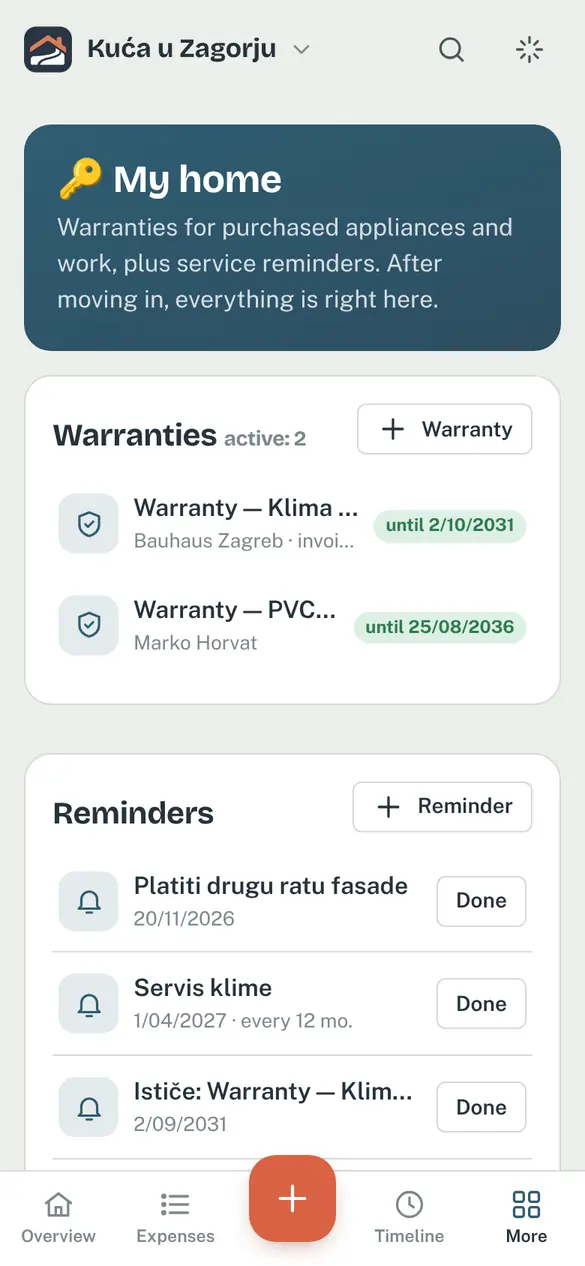
16Building cost calculator
Before the first invoice, a rough estimate helps too. The free calculator shows what a new build or renovation might cost, phase by phase from foundations to moving in, for 27 European countries. Prices are updated regularly and no sign-up is needed.
Share this feature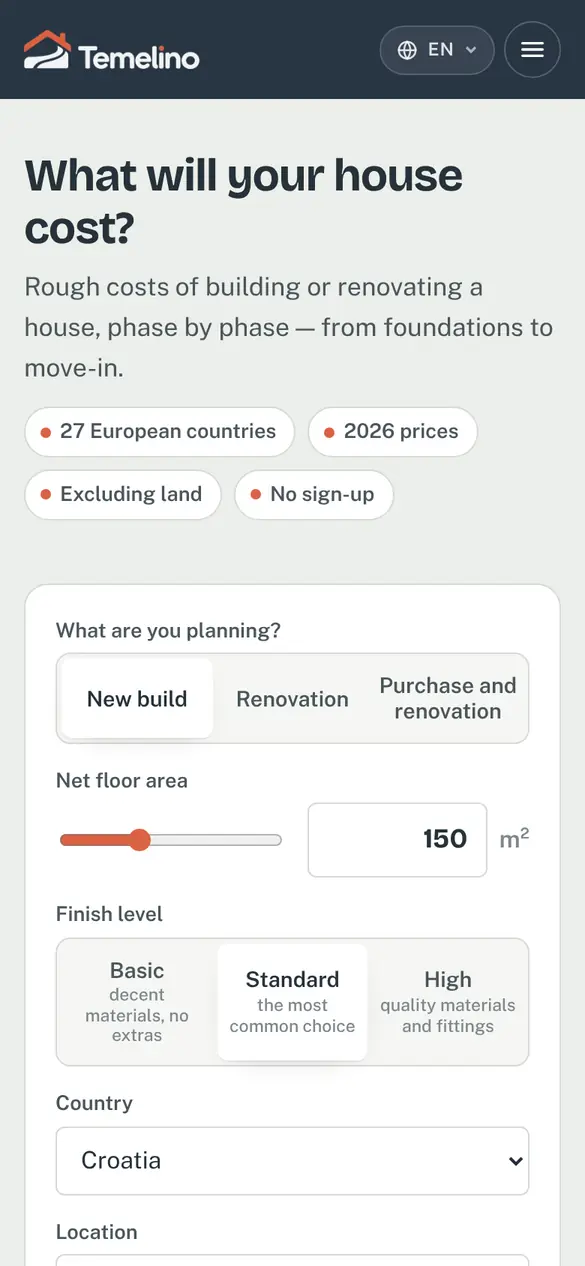
17Android app
Temelino works in the browser on any device, and there is also an Android app with a few extras:
- Share → Temelino — send a receipt from your e-mail or a photo from your gallery straight into the project.
- Push notifications with separate channels (due dates, reminders, member activity) that you can mute individually.
- Fingerprint or face lock — your finances stay private even when you lend someone your phone.
- Home screen widget — see how much of your budget is left, what is unpaid and the next due date without opening the app, and add an expense or invoice with one tap. Amounts stay hidden until you tap the eye icon.
18Your data is yours
- Export any time — an Excel or PDF cost list (filters included) and the full project archive as a ZIP with all files.
- Encrypted storage — files are stored encrypted on servers in the EU and only project members can see them.
- No ads, no data selling — we use no third-party analytics or marketing tools.
- Deletion — you can delete your account and data yourself at any time.